Mostrando las entradas con la etiqueta EN. Mostrar todas las entradas

miércoles, 25 de junio de 2014

Intellisense not showing in Visual Studio

This happened to me a few days ago. I was coding in ASP.NET (VB) and then suddenly the intellisense was not showing anything when I write the "." to try to access the objetcts propertys/methods and even I kept getting errors from the tags in the aspx file:

"Element 'Panel' is not a known element. This can occur if there is a compilation error in the Web Site, or the web.config file is missing."


I mean, it even tried to blame me!. But the case was that the website compiled and executed correctly. With that in mind I search over the internet (well I googled it and search it using DuckDuckGo too). I found some other interesting stuff that could be useful in some other situation like this y this, however none of them solved my issue.
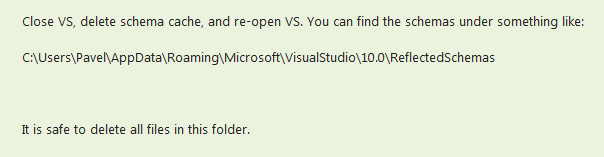
The idea of reinstall Visual Studio came to my mind again, but finally the solution came from this forum and is as easy as:


The only thing here is that by doing so you'll loose some configs like VS windows locations (class explorer or toolbox for example) and some other IDE config, nothing to really worry about but you I just wanted to inform you.

Greetings!

viernes, 20 de junio de 2014

Remove Omiga Plus

Recently it happened that my computer was affected by the "Omiga Plus" malware. The symptoms were:

  • My browser start page, new tab and home page were changed to show the "Omiga Plus" web search page. 
  • One search plugin was added to the list and set as default in Chrome and Firefox.
  • If I change manually the start page, new tab and home page settings, the omiga settings were resetted "magically" when I restart the computer.
It happens that de mentioned "Omiga Plus" is a not a virus but a malware, specifically a browser hijacker and its really annoying to have those bugs lurking in the computer. Some of those only "hijack" the web browser (hence the name) and redirect search to a specific web page, but only they know if they are capturing some other data.

Deleting this kind of software sometimes can be easy or turn out to be an odyssey. There are from every kind and for me this was the most complicated to delete that I have found yet. I tried in several ways but they didn't work, at least for me:
  • Avast!: I have it on my computer as my antivirus of choice but It didn't even blink, didn't detected the omiga malware.
  • Spybot: I installed and executed it, but again, didn't delete the omiga malware.
  • I manually deleted a suspicious file that executes on computer start. Resetted the browser options but those keep emerging after a computer reset.
SOLUTION
  • Adwcleaner: finally, one of the many pages I visited (malwaretips.com) commented it was posible to remove it with some antimalware tools and recommended adwcleaner. I downloaded from this URL (adwcleaner malware removal tool) and it worked perfectly.


After removing the malware, resetted manually the start page, new tab and plugins in my browsers (Firefox, Internet Explorer and Chrome) I restarted the computer and the issues didn't show up again.

Espero que esta información is useful to you.

domingo, 8 de junio de 2014

MySQL - Authentication with old password no longer supported

I was resuming a web development for a customer and when I tried to test it live on the internet ¡bang!, an error jumps out when the application attempts to connect to the database: "Authentication with old password no longer supported, use 4.1 style passwords".

 SET PASSWORD FOR 'username'@'%' = password( 'mynewpassword' )

I made some attempts to change the password but I kept getting some other errors:

Access denied for user 'username'@'localhost' to database 'mysql' 
Access denied for user 'username'@'%' to database 'mysql' 

Finally, I double checked the official MySQL pages (here) and found the solución. It turned out that I only needed to write the database user name without the quotes:

 SET PASSWORD FOR username = password( 'mynewpassword' )

Summary: it seems that there was a change in MySQL version 5.1 regarding how the password is encrypted. Then I suspected that my web hosting was using a non fully compatible Parallels Plesk Panel/cPanel - PHP MyAdmin - MySQL.

I solved the issue but if you, like me, are curious about the MySQL server version your web hosting is using, you can get that data by executing the following query:

SHOW VARIABLES LIKE "%version%";


¡Greetings!

domingo, 1 de junio de 2014

Raise (Signal) MySql Exception

It's true that we can do a lot of data validation on the front-end. But, in some cases, it happens that is more convenient to do it at the server side. No only because it helps us to enforce data integrity, but because changes in stored procedures, functions, triggers, etc doesn't involve recompile and redistribute the application executable file.

It happens then that in some cases we need to raise an exception from a stored procedure as a way to let the front-end know that the process was not executed correctly. ¿How to do it in MySQL?. The basic sentence is very simple:

SIGNAL SQLSTATE '45000' SET MESSAGE_TEXT = 'Error Message';

In the following video we have a brief example (video is in spanish but you can get an idea just by watching):


This works from MySQL 5.5 and above. It basically assigns an error code ('45000' in this case) and a message as a text for the exception. There are predefined error codes (check this list) but because we want to raise an excepcion (or SIGNAL in MySQL) is for our app/database only then its better to use one code that doesn't exists in that list.

If we wanted to be much more specific about the information we want to send as part of the exception, we can set some other values.

My first search about this topic lead me to a StackOverFlow post and from the a search by jumping from link to link.

¡Greetings!